I've paid for streaming but cannot access the videos
If you have paid for streaming but aren't able to access your videos you may be seeing this message
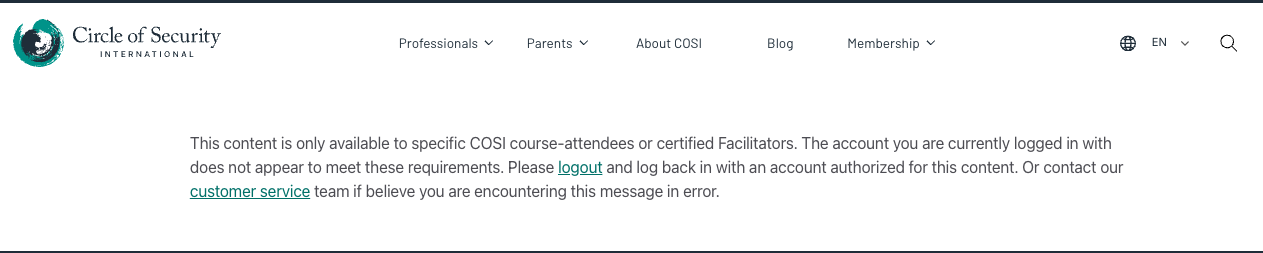
In order to provide time sensitive support can you confirm the follow steps have been done:
1. Are you logged in with the email associated with your COSP Facilitator login?
2. Are you accessing the streaming page? Here's the URL: https://www.circleofsecurityinternational.com/blogs/cosp-streaming
* Sometimes bookmarked pages change, so it's worth double checking your bookmarked pages and updating as needed.
From your Dashboard, you should be able to open COS Parenting and access streaming.
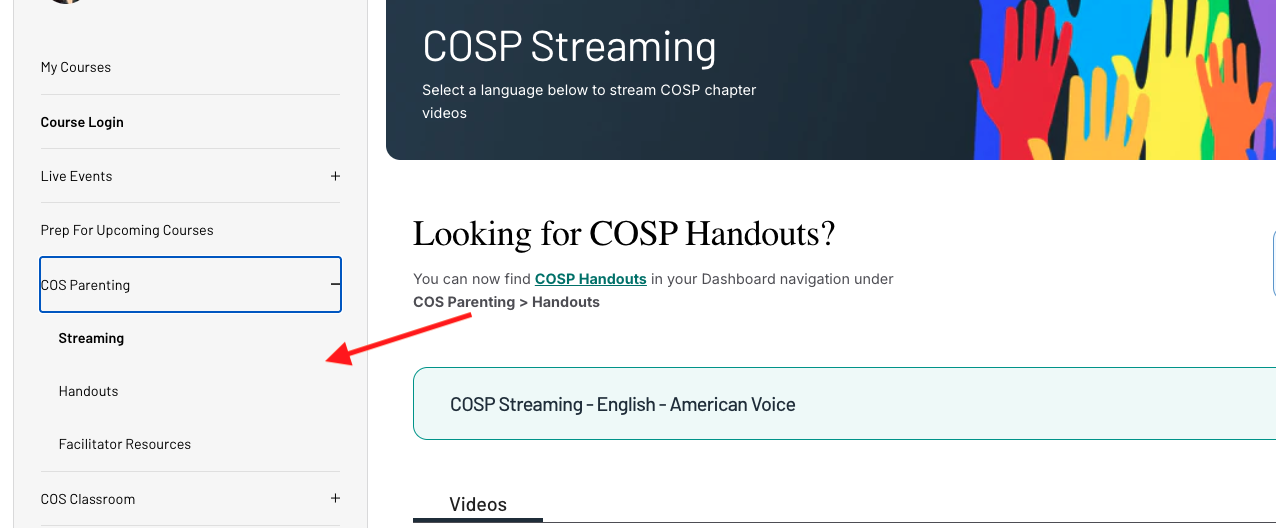
If you are logged in with the correct email associated with your COSI account and are still unable to access the streaming videos, please email support@circleofsecurityinternational.com and send a screenshot of difficulties you are encountering.
Related Articles
How to purchase 1 year streaming COSP video series
To purchase the 1 year streaming access, you must be logged into your facilitator account and go here: https://www.circleofsecurityinternational.com/products/streaming_1year You will add the item to your cart and select your payment method. To have ...COSP Videos support
As of 01 October, 2026, streaming the COSP Video Series requires a paid plan. To ensure you don’t experience a gap in your service, there are a couple of options available to add streaming to your account: 1) Purchase a 1 year streaming license here: ...Streaming access box
Yes, your order is paid and the streaming has been added to your account. If you look at your myCOS Dashboard, you'll see the streaming expiration date reflect your access timeline.I can't access COSP videos
For issues accessing the COSP Video Series, there are some troubleshooting points to consider. Please confirm the following: 1. Can you log into your Dashboard? OR are you unable to receive the code for login? myCOS dashboard looks like this OR ...How facilitators will redeem streaming tokens
Once your invoice has been paid, you'll receive an email similar to this. [SAMPLE ONLY] Distribute the tokens to each facilitator. To redeem the codes, each facilitator will login to their account, go to the streaming 1 yr product: ...